mk777 App – Play on Your Phone, Anytime
The mk777 App brings your full casino account to Android. Slots, live tables, Crash, cricket betting – all load fast over mobile data or Wi-Fi. The APK is 28 MB, free to download, and takes about two minutes to set up. No Play Store needed.
mk777.apk · 28 MB · Android 8.0+ · Free
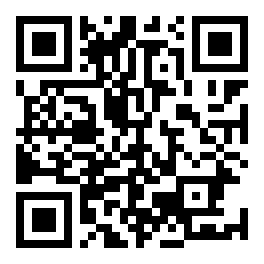
Scan QR with your phone camera to download directly.
Safe to Install – What the App Asks and Why
Android shows a warning when you install any APK from outside Google Play. That is normal and expected. Here is what the mk777 App actually requests on your device.
SSL-Encrypted Traffic Only
All data between the app and mk777 servers travels over TLS 1.3. Your account credentials, deposit amounts, and session tokens are never sent in plain text. The connection certificate is pinned inside the app, so a fake Wi-Fi hotspot cannot intercept your login.
No Camera or Contacts Access
The mk777 App requests only: internet access (to load games and process payments), storage access (to save the APK during install), and notification permission (optional, for deposit confirmations). It does not ask for camera, microphone, location, or your contact list.
Verified APK – Download from mk777.team Only
Only download mk777.apk from this page or from the official mk777.team domain. Third-party app stores and Telegram channels may distribute modified versions that contain malware or redirect your deposits. The file on this page is signed by mk777 and updated to version 2.1.14.
bKash & Nagad Payments Stay in the Browser
When you tap Deposit inside the app, it opens the bKash or Nagad payment screen in your phone's default browser or the official payment app. mk777 never stores your mobile banking PIN. Deposits confirm within about 5 minutes and are credited automatically to your account balance.
Everything in One App – Six Reasons to Switch
The mk777 App is not a stripped-down mobile version. You get the same game library, bonuses and account tools as the desktop site.
Cricket & Sports Betting
Bet on Bangladesh Premier League, IPL, T20 Internationals and ODIs in real time. The in-play odds screen refreshes without a full page reload, so you can place a bet mid-over without losing your place. Pre-match, in-play and outright markets are all available.
Slots from Six Providers
Over 6,000 slot titles from Spribe, JDB, Playtech, Red Tiger, Ezugi and Sexy Gaming load directly inside the app. Games like Fortune Tiger, Ludo Quick and Deuces Wild run at full frame rate even on mid-range Android handsets on a 4G connection.
Live Casino Tables
Double Exposure Blackjack and European Blackjack stream in HD from live studios. The video feed is optimised for mobile bandwidth – you can lower the quality setting manually if you are on a slow connection. Minimum bet starts at ৳1 on selected tables.
Crash & Instant Games
Crash by Playtech and Mines by Sexy Gaming are built for short sessions on the go. Cash out before the multiplier drops, or navigate the minefield for bigger rewards. Round times are under 30 seconds, which makes them ideal during a commute or a quick break.
Fishing Games
Gold Toad Fishing, All-Star Fishing, 3 Gods Fishing and Fierce Fishing all run smoothly on the app. The touch controls – tap to aim, hold to charge the cannon – work better on a phone screen than a mouse ever could. Bet from ৳2 and compete at your own pace.
Deposits & Withdrawals Anywhere
Top up with bKash, Nagad, Rocket or Bank Transfer directly from the app. Deposits arrive in about 5 minutes; withdrawal requests process in about 8 minutes. The minimum deposit is ৳100 and the minimum withdrawal is ৳700. You can track every transaction in Account History.


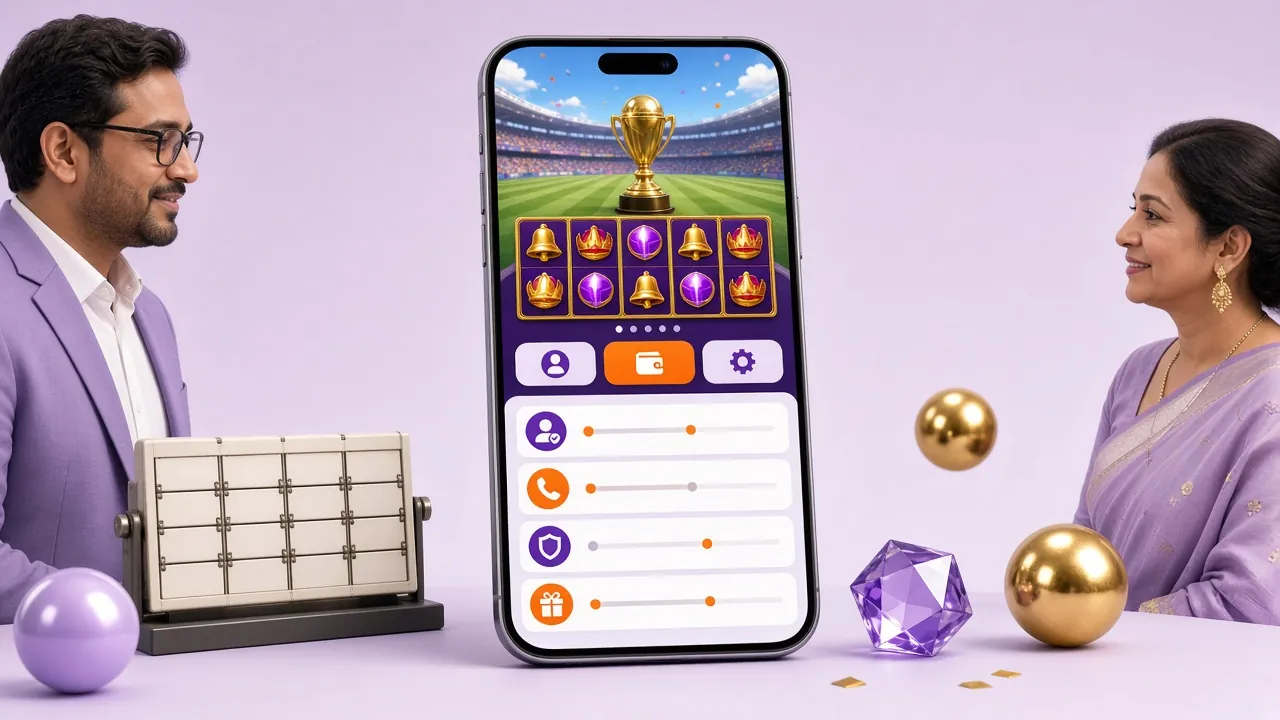
Built for Bangladesh Connections
The mk777 App is optimised for 4G speeds common across Dhaka, Chittagong and Sylhet. Game assets are compressed without losing visual quality, so a slot like Fortune Tiger loads in under three seconds even on a 15 Mbps connection. Live casino streams adjust their bitrate automatically based on your signal.
The interface uses a bottom navigation bar designed for one-handed use. Switching between Sports, Casino, Fishing and My Account takes a single tap. The app remembers your last open game, so you can answer a call and return without losing your session.
Download APK Freemk777 App – Version & Download
Current release details. Always download from this page to get the authentic, up-to-date APK.
Download the APK
File: mk777.apk
Size: 28 MB
If your browser asks "this file may harm your device", tap Download anyway. That warning appears for all APK files from outside the Play Store – it is not specific to mk777.
| Detail | Info |
|---|---|
| App Version | 2.1.14 |
| File Name | mk777.apk |
| File Size | 28 MB |
| Minimum Android Version | Android 8.0 (Oreo) or higher |
| Last Updated | 9 November 2026 |
| Price | Free |
| Languages | English / Bangla |
| iOS Support | Browser shortcut (see below) |
Android APK Installation – Step by Step
These steps work on Samsung, Xiaomi, Realme, Oppo and most other Android phones running Android 8.0 or later.
-
1
Allow Installation from Unknown Sources
Open your phone's Settings, then go to Security (or Privacy on some devices) and enable Install unknown apps. On Android 8 and above, you can grant this permission to your browser alone – you do not need to unlock the whole phone. On Xiaomi MIUI devices, the setting is at Settings > Special app access > Install unknown apps.
-
2
Download the APK from This Page
Tap the Download APK button on this page. Your browser will save mk777.apk (28 MB) to your phone's Downloads folder. If you are on a mobile data connection, the file should finish downloading in under a minute. Wait for the download notification to appear in your status bar before proceeding to the next step.
-
3
Open the Downloaded File
Tap the download notification, or open your phone's Files app and navigate to the Downloads folder. Tap mk777.apk. If Android asks which app to use, choose Package Installer. You will see a screen showing the app name, icon and the permissions it needs. Review them, then tap Install to begin.
-
4
Wait for the Installation to Finish
The installer copies the app to internal storage. This typically takes 10–20 seconds on most Android phones. You will see the message "App installed" when it is complete. At this point, tap Open to launch the mk777 App immediately, or find the mk777 icon in your app drawer for future sessions. The icon shows the brand name in orange.
-
5
Log In or Create Your Account
On the first launch, the mk777 App shows the login screen. If you already have an account, enter your phone number and password, then tap Log In. New players tap Register and complete the sign-up form – it takes about two minutes. After logging in, your account balance, bonus wallet, and game history are all visible immediately. See the Login guide for help with password recovery.
iPhone / iOS – Add to Home Screen
Apple does not allow APK installs on iPhone. Instead, add mk777 as a web app shortcut. It opens in a full-screen browser view that behaves much like a native app.
-
1
Open mk777.team in Safari on your iPhone. Other browsers (Chrome, Firefox) do not support "Add to Home Screen" on iOS.
-
2
Tap the Share button at the bottom of the Safari toolbar (the box with an arrow pointing up).
-
3
Scroll down in the Share menu and tap Add to Home Screen. If you do not see it, scroll further – it is below the first row of options.
-
4
Confirm the name as mk777 and tap Add. The icon will appear on your home screen. Tap it to open mk777 in a full-screen, app-like session with no browser chrome.
All features – deposits, withdrawals, live casino, cricket betting – work in the Safari web app. Push notifications are available on iOS 16.4 and later after you tap Allow when prompted.
mk777 App vs Mobile Browser – Side by Side
Both options give you full access to your account. The table below highlights where the native app has an edge and where the browser version performs equally well.
| Feature | mk777 App (APK) | Mobile Browser |
|---|---|---|
| Game loading speed | Faster – assets cached locally | Good on 4G, slower on 3G |
| Push notifications for deposits | Yes, real-time alerts | Not available on Android Chrome |
| Full game library access | All 6,000+ games | All 6,000+ games |
| Live cricket betting | Odds refresh without full reload | Works, requires manual refresh |
| bKash / Nagad deposit | Opens payment app directly | Opens payment app directly |
| Session persistence after call | Resumes from where you left off | May reload the tab |
| Auto-update | Manual APK re-download needed | Always loads latest version |
| iPhone / iOS support | APK not supported on iOS | Full access via Safari |
| Storage used on device | 28 MB install + game cache | No storage required |
| Live casino video quality | Adaptive HD with auto-quality | Good; depends on browser codec |
Full support Partial Not available
System Requirements at a Glance
The mk777 App is designed to run on affordable mid-range Android phones. You do not need a flagship device.
| Android Requirements | |
|---|---|
| Operating System | Android 8.0 (Oreo) or later |
| RAM | 2 GB minimum (3 GB recommended for live casino) |
| Free Storage | 50 MB for app + game cache |
| Internet Connection | 4G / LTE or stable Wi-Fi |
| APK Source | mk777.team official download only |
| Play Store Required | No |
| iPhone / iPad (Browser) | |
|---|---|
| Browser | Safari 15 or later (required for Add to Home Screen) |
| iOS Version | iOS 14 or later recommended |
| Push Notifications | iOS 16.4 or later |
| Internet Connection | 4G / 5G or Wi-Fi |
| App Store Download | Not required |
| Storage Used | No local install required |
First deposit bonus up to ৳17,000 – claim it right after you install the app and register.
When the Install Does Not Go Smoothly
Most installation issues have a quick fix. Use this table to find your error message and what to do next.
| Problem | Most Likely Cause | What to Do |
|---|---|---|
| "Install blocked" message | Unknown sources permission not enabled for the browser or file manager you used to open the APK. | Go to Settings > Security (or Privacy) > Install unknown apps. Find your browser in the list and toggle on "Allow from this source". Then tap the APK file again to retry. |
| "App not installed" error | A previous version of the mk777 App is already on the phone, or the APK file is corrupted due to an interrupted download. | Uninstall any existing mk777 App version via Settings > Apps first. Then delete the downloaded APK from your Downloads folder and re-download a fresh copy from this page. |
| Download stops at 0% or hangs | Weak mobile data signal or browser cache conflict preventing the download from starting properly. | Switch to a Wi-Fi connection if available, or switch between mobile data and Wi-Fi. Clear your browser's download queue and tap the Download button again. The file is 28 MB and should finish quickly on a stable connection. |
| App crashes immediately on launch | Device has less than 2 GB of available RAM or is running a very old custom Android ROM that is not fully compatible. | Close all background apps to free up RAM, then relaunch mk777. If the crash persists, try uninstalling and reinstalling. If your phone runs a custom ROM, switch to the mobile browser version at mk777.team – it has the same game access. |
| Login screen says "Connection error" | The app cannot reach mk777 servers, usually due to a VPN, restricted network, or temporary connectivity drop. | Turn off any active VPN. Check that you have a working internet connection by opening a webpage in your browser. If you are on a corporate or university Wi-Fi that blocks gaming sites, switch to mobile data. Contact Live Chat if the error continues. |
Questions About the mk777 App
Answers to what players ask most before and after installing.
1Is the mk777 APK safe to download and install?
Yes, as long as you download it from this page or directly from mk777.team. The APK is signed by mk777 and contains no adware, spyware or hidden permissions beyond internet access and storage. Android shows a generic "unknown sources" warning for every APK that does not come from Google Play – that warning is about the distribution method, not about mk777 specifically. If you are uncertain, compare the file size after downloading: the authentic file is exactly 28 MB.
2Why does Android say "install blocked" when I try to open the APK?
Android 8.0 and later restricts APK installs from unknown sources by default. You need to grant permission to the specific app you used to download the file – usually your browser. Go to Settings > Security > Install unknown apps, find your browser in the list, and enable "Allow from this source". This takes about 20 seconds. After that, tap the APK file again and the install will proceed. You can revoke the permission afterwards if you prefer.
3How do I update the mk777 App when a new version is released?
The mk777 App does not auto-update like Play Store apps. When a new version is available, you will see an in-app notification at the top of the home screen. Tap it to go to the download page, then download the new APK and install it on top of the existing app – you do not need to uninstall first. Your account, balance and game history are stored server-side, so nothing is lost during the update. The current version is 2.1.14, last updated 9 November 2026.
4Can I use the mk777 App on an iPhone or iPad?
Apple does not allow APK files on iOS, so there is no native iPhone app. Instead, open mk777.team in Safari, tap the Share button, and choose "Add to Home Screen". This creates a full-screen web app shortcut that opens without browser tabs or the address bar. It looks and feels close to a native app. All features – live casino, sports betting, bKash deposits, withdrawals – work normally. Push notifications require iOS 16.4 or later and you must tap Allow when Safari prompts you.
5Do I need to register a new account for the app, or can I use my existing one?
Your existing mk777 account works directly in the app. Just enter the same phone number and password you use on the website and tap Log In. If you are new to mk777, tap Register inside the app and complete the sign-up form – it takes about two minutes and requires a valid phone number. After registering, your 135% first deposit bonus (up to ৳17,000) is applied automatically on your first qualifying deposit. See the Register guide for step-by-step help.
6Can I deposit with bKash directly inside the mk777 App?
Yes. Tap Deposit in the bottom menu, select bKash (or Nagad, Rocket, Bank Transfer), enter your amount, and tap Confirm. The app opens your bKash app or the bKash payment screen to complete the transaction. The minimum deposit is ৳100. Funds arrive in your mk777 balance in about 5 minutes. The app does not store your bKash PIN or mobile banking credentials – the payment is handled entirely by bKash's own secure gateway. For a detailed walkthrough, see the Deposit guide.
7What should I do if I forget my password on the app login screen?
On the login screen, tap "Forgot Password" below the password field. Enter the phone number linked to your mk777 account and tap Send OTP. You will receive a one-time code by SMS within a minute. Enter the code, set a new password, and tap Confirm. If you do not receive the SMS after two minutes, check that the number you entered is correct and try again. For further help, use the 24/7 Live Chat button inside the app or visit the Login help page.
Ready to Play on Your Phone?
Download the mk777 App, register your account, and claim your first deposit bonus. The whole setup takes about five minutes.
- SSL Encrypted
- 24/7 Support
- bKash & Nagad
- 18+ Only